
Tuning your Substack subscriptions
What do you want delivered via email?

Whenever I talk about tuning something I always think about the classic REO Speedwagon album from 1978, “You Can Tune a Piano, but You Can’t Tuna Fish” … but I digress!
Most of you, subscribers of Trails, Truths & Thoughts, have likely noticed by now that I have four different newsletters within the TTT publication. Some of you may be interested in all of them, others may not, and others yet may care about all but not enough to get every article in every newsletter delivered to your doorstep in the form of an e-mail.
I have a solution for all of you!
For those who want to see everything each day in their mailbox, you don’t have to do anything once you’ve subscribed. By default, you get all articles in all newsletters delivered to your virtual doorstep.
For those who would like a bit more curation, you can actually go into your Substack account and select which newsletters in any of your different subscriptions you’d like delivered to you via email, and which you don’t. This way if you’re getting too much you don’t have to cancel your whole subscription. I’ve had to optimize a few of my subscriptions as well.
Tuning your email delivery choices
If you’d like to tune your email choices for any Substack subscription, here’s how you can do it. I’ll use my “Trails, Truths & Thoughts” publication as the example.
As far as I can tell you must do this from your web browser on Substack, not from your smartphone app.
First go to my Substack page at Trails, Truths, and Thoughts
In the upper right corner, is either your profile picture or an icon where you can configure your account. Click on that and a drop-down menu will appear that looks like this:
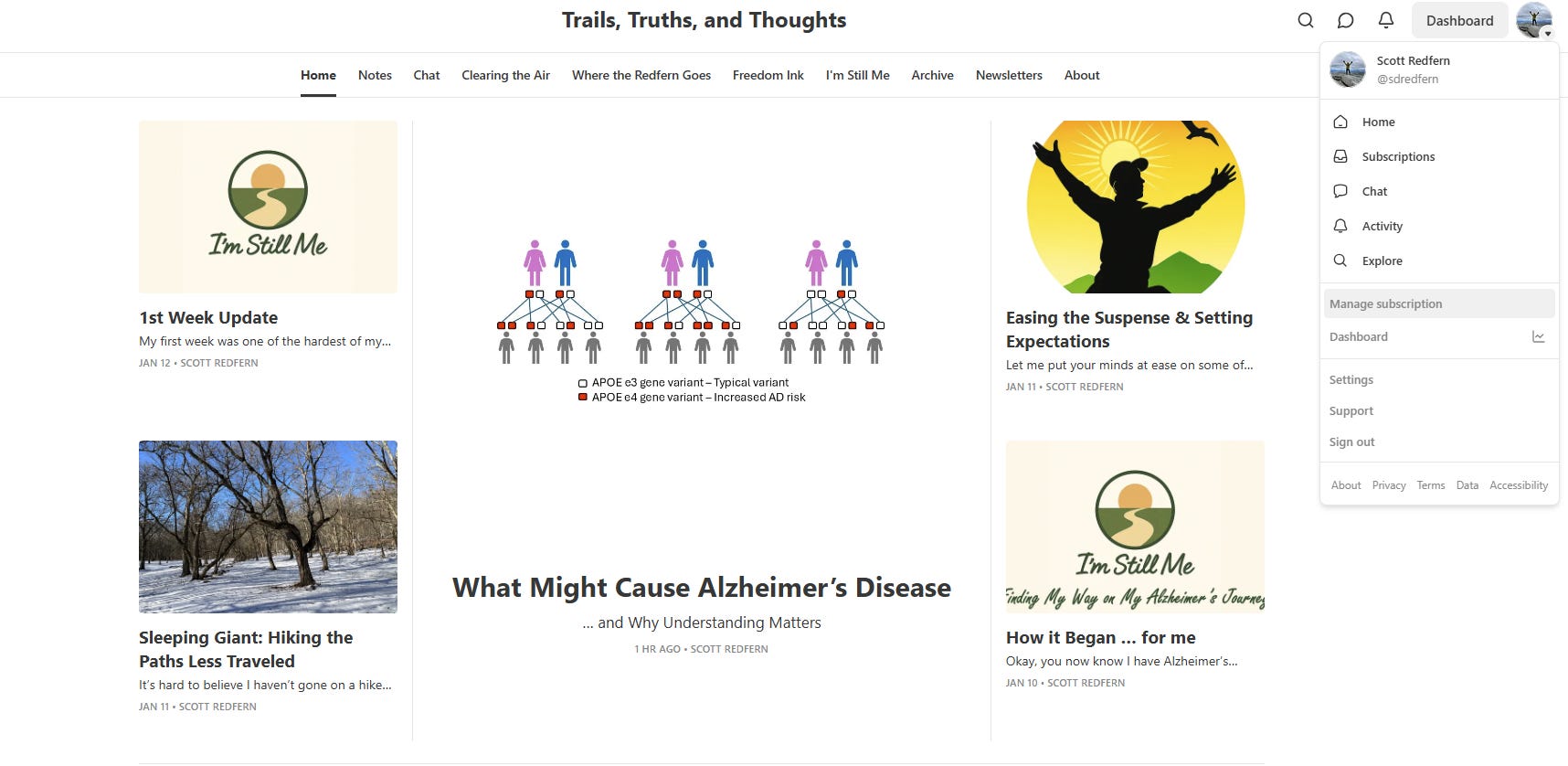
About half-way down you’ll see an option for “Manage Subscription”, click on that and you see this page:
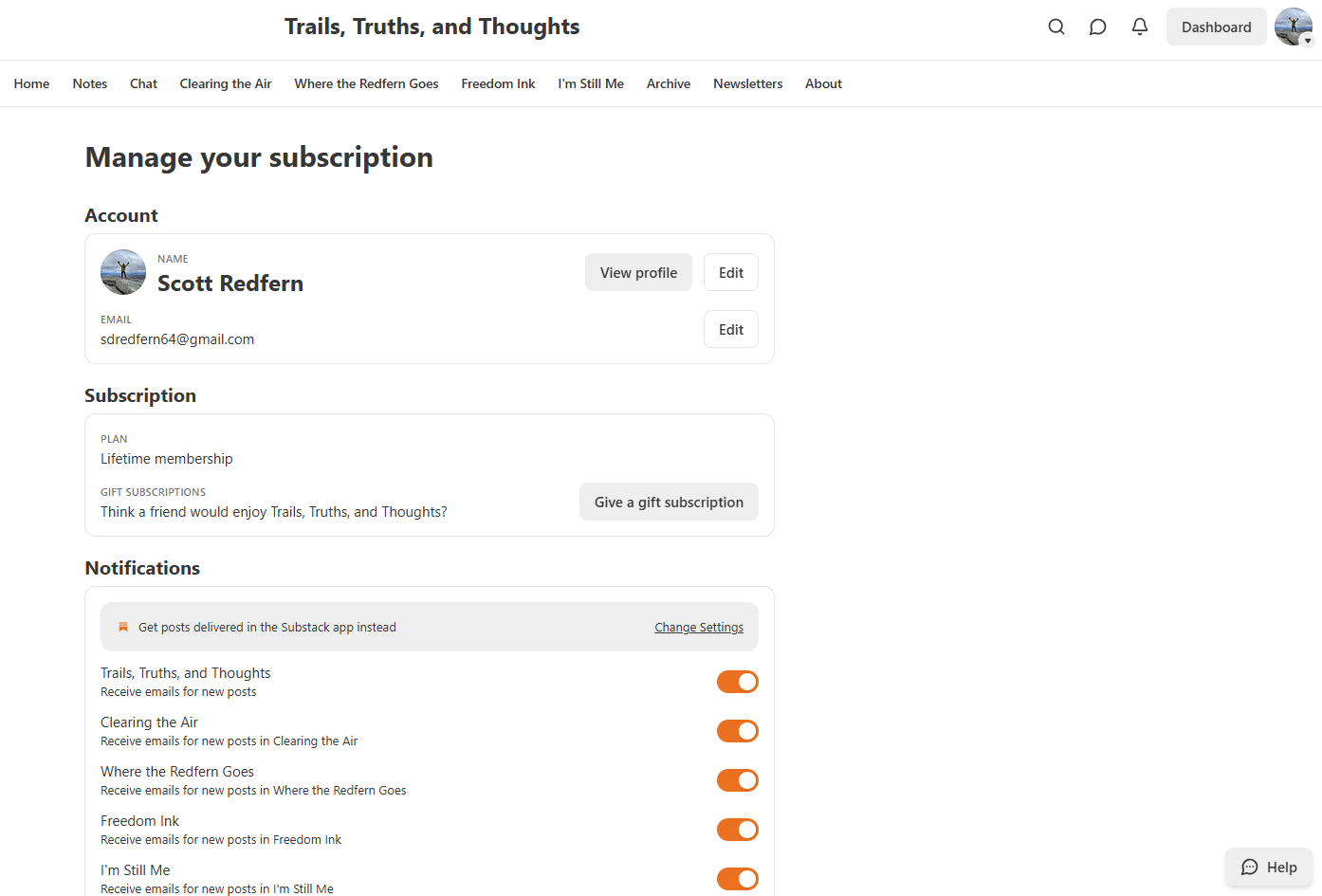
It’s here that you can toggle the orange radio buttons to select which newsletters you want sent to your email inbox.
Reading other newsletters on demand
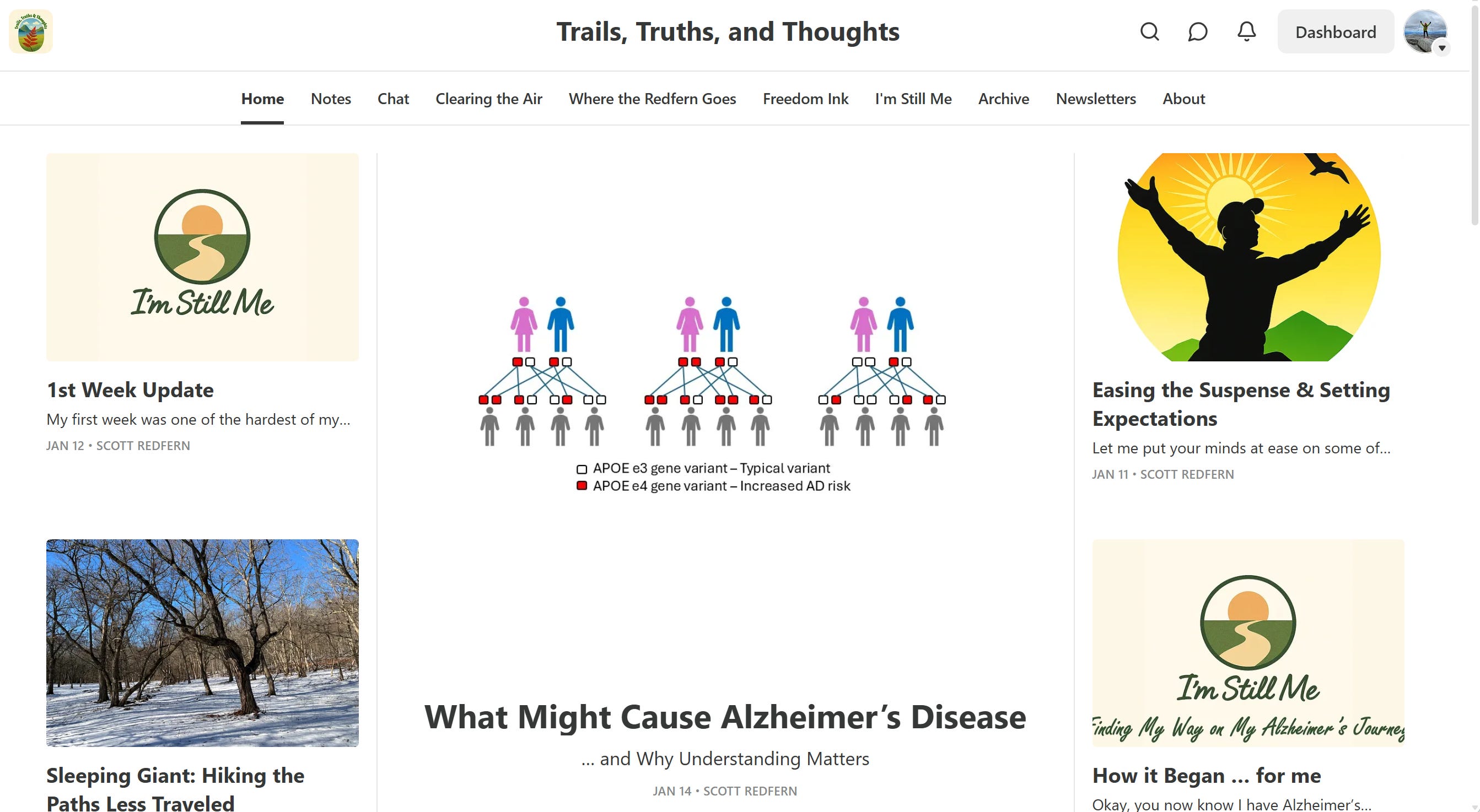
Just because you no longer receive all newsletters in your email, doesn’t mean you don’t still have access to them. You can always go to my home page either from this link: Trails, Truths, and Thoughts
or when you are in your Substack page on your browser you can click on that same icon in the upper right corner of the screen and instead of selecting “Manage Subscriptions” like I showed earlier, select “Subscriptions” and you see all your current subscriptions, including “Trails, Truths and Thoughts” and clicking on that will take you to my home page.
or if you are in the Substack app on your phone then access is even easier! Open your app and you’ll see the same icon for your account in the upper right corner (I highlighted it in red below in a screenshot on my phone):
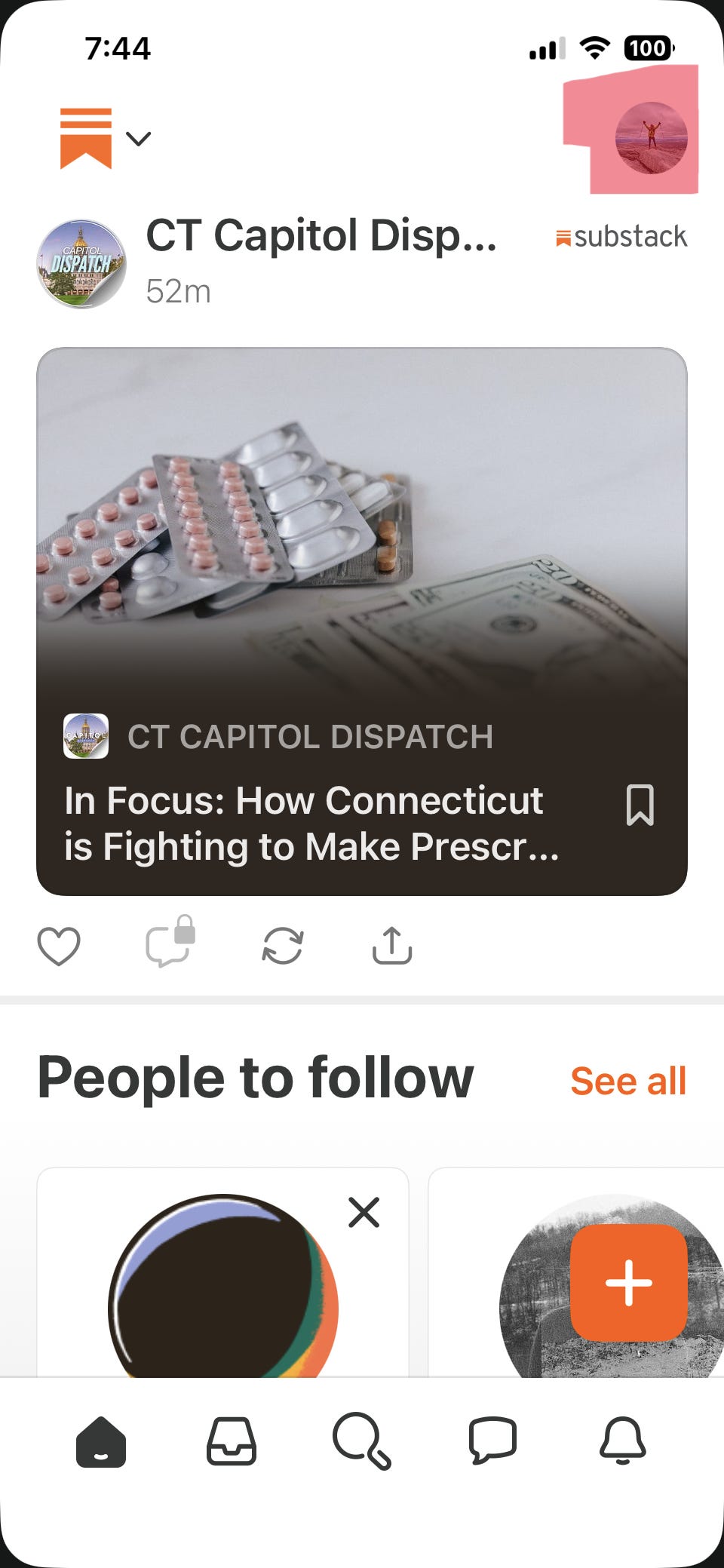
Click on that and you’ll immediately see all your subscriptions and you can scroll through to find “Trails, Truths and Thoughts”
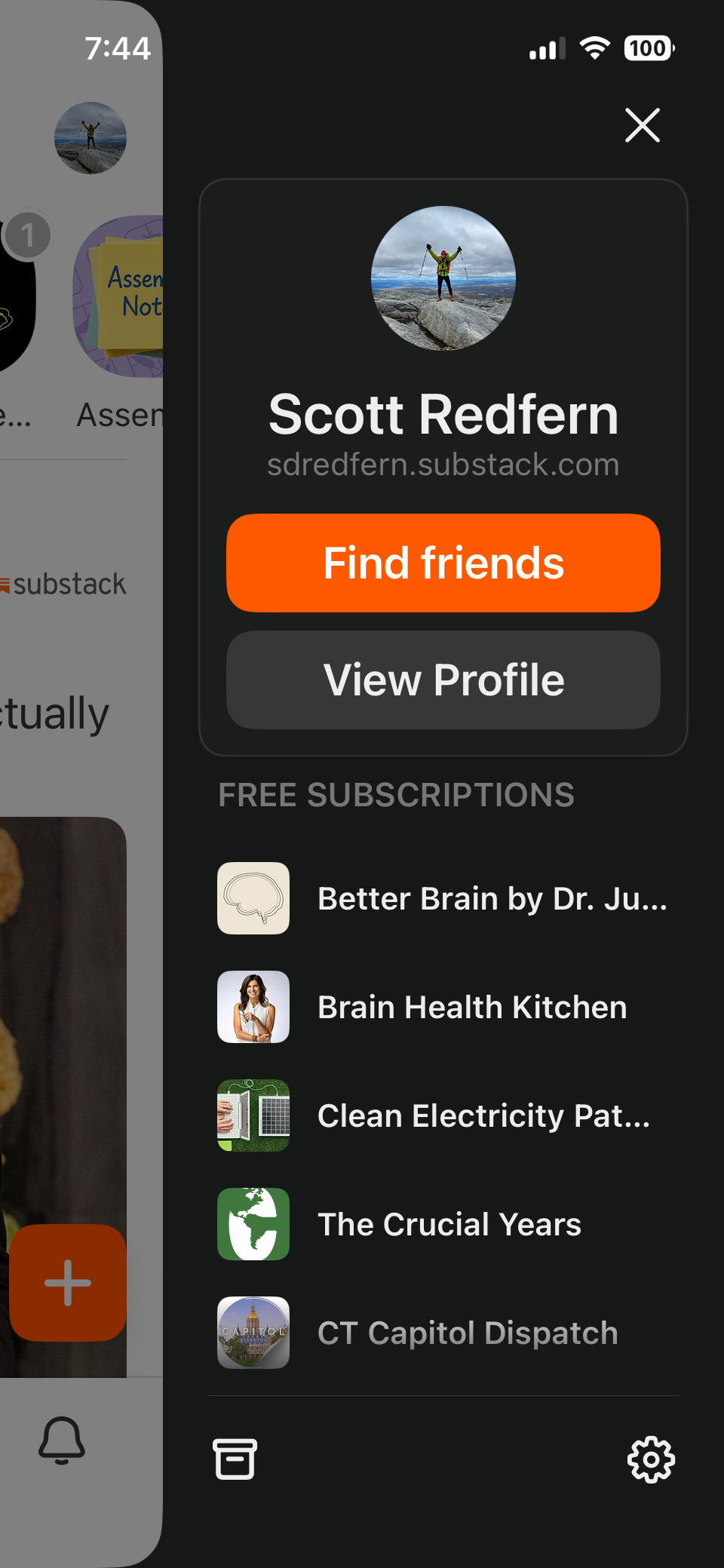
On your browser you have a lot more opportunity to peruse my different newsletters. You’ll see each one listed across the top. “Clearing the Air” for climate change and the environment, “Where the Redfern Goes” for my explorations, “Freedom Ink” for social justice, and “I’m Still Me” for my Alzheimer’s journey.
love having options to curate the experience ❤️ and love you!